
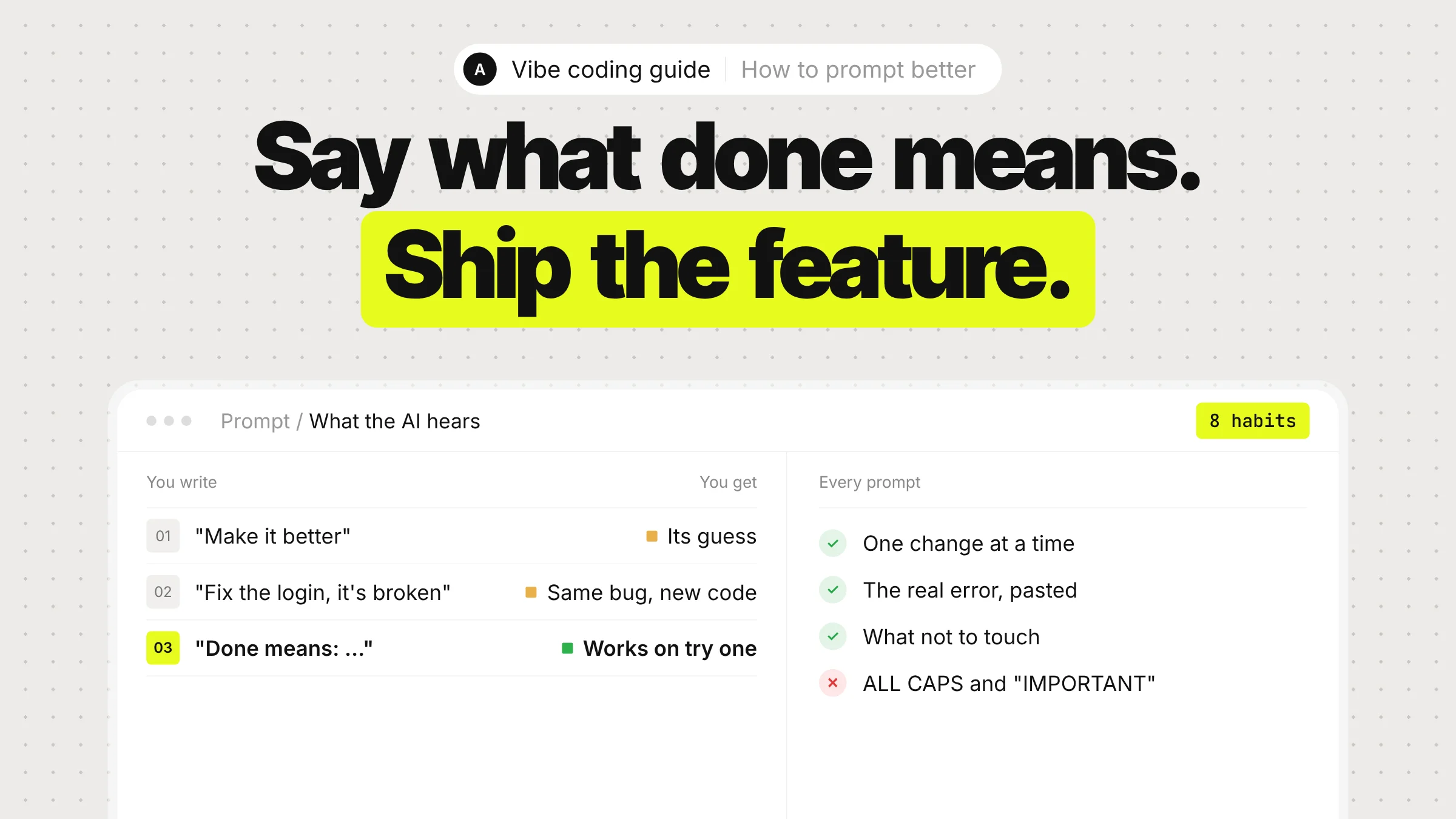
If you want better results from vibe coding, the short version is this: tell the AI what "done" looks like, ask for one change at a time, paste the real error instead of describing it, ask for a plan before anything big, say what it must not touch, and give it a way to check its own work. Those six habits fix most of the "it broke something else" and "it keeps going in circles" moments.
None of this depends on which tool you use. It works the same in Lovable, Bolt, Replit, Cursor or Claude Code, because the problem is the same everywhere: the AI can only build what your prompt makes clear, and it fills every gap with a guess.
This is the companion to our practical guide, How to Start an AI SaaS with Claude Code. That one covers the setup. This one covers the part you do a hundred times a day: the prompt.
The short answer
| Instead of | Write |
|---|---|
| "Add a pricing page" | "Add a pricing page with three plans. Done means: each plan has a working Subscribe button that opens Stripe Checkout, and the page looks right on a phone." |
| "Fix the login, it's broken" | The exact error, the steps that cause it, and what you expected to happen |
| One prompt for the whole app | One feature or one fix per prompt, and save a working version in between |
| "Make it look better" | A screenshot of what you want, or three specific changes |
| Jumping straight into code on a big change | "Plan this first and wait for my OK" |
| Hoping it didn't break anything | "Don't touch the auth or billing code" plus "run the tests and open the page to check" |
| Correcting it a fourth time | Undo to the last working version and write one better prompt |
1. Say what "done" looks like
The most common vibe coding prompt describes a feature and stops. "Add team invites." The AI then decides everything you didn't: who can invite, what the email says, what happens when the invite expires, what a user sees if they are already on a team. Some of those guesses will be wrong, and you find out three prompts later.
Add one line that starts with "Done means":
Add team invites. Done means: an admin can invite someone by email from the Team page, the invite link works once and expires after 7 days, and someone who is already on the team sees "You're already a member" instead of an error.
You don't need a spec document for every change. You need the two or three things you would check yourself before calling it finished. Writing them down turns them into the AI's checklist too.
For anything bigger than a single feature, let the AI ask the questions first:
I want to build [the feature] for [who uses it]. Ask me questions until you could build it without guessing, then write down what we agreed.
2. Give it the context it can't see
The AI can read your code. It can't read your head. It doesn't know who your users are, why the feature exists, what you already tried, or which decisions are final.
That context is worth one or two sentences:
Our users are restaurant owners on their phones between shifts, so this has to work one-handed on a small screen. We already tried a modal for this and people missed it, so use a full page.
What you can skip is describing your own code. "The dashboard is in src/app/dashboard and uses the Card component" is something the AI finds faster than you can type it. Spend your words on the why and the who, not the where.
If you find yourself repeating the same context in every prompt, put it where the tool reads it every time: project knowledge in Lovable, rules in Cursor, CLAUDE.md in Claude Code. Keep it short. A few lines of decisions and gotchas beat a page of description.
3. One change per prompt
"Add dark mode, fix the signup bug and make the dashboard faster" is three prompts pretending to be one. When something breaks, you can't tell which part did it, and undoing it undoes all three.
Ask for one feature or one fix at a time. When it works, save that version before you move on: a commit in Cursor or Claude Code, a named version or checkpoint in Lovable, Bolt or Replit. It takes five seconds and it is the cheapest insurance you have, because the next prompt can always go wrong.
This also keeps prompts short enough to be clear. A long prompt with five goals gets five half-finished results.
4. Show, don't describe
The AI is much better at matching something than at imagining what you mean.
- Errors: paste the full error message, not "it shows an error". Include the browser console or the terminal output if you have it. The line number and the exact text are usually the whole answer.
- Bugs: give the steps that cause it and what you expected instead. "Log in with Google, go to Settings, click Save: the page reloads and the name goes back to the old one. It should keep the new name."
- UI: attach a screenshot of the screen as it is now, and one of a site that does it the way you want. Circle the part you mean.
- Data: paste a real example row, a sample API response or a CSV with a few lines. "Import the customer list" with an example file works on the first try far more often than without one.
5. Ask for a plan before anything big
For a new feature that touches several screens, a change to how data is stored, or anything with payments or logins, ask for a plan first and read it before any code is written:
Before writing code, tell me which files you'll change, what you'll add to the database, and anything you're unsure about. Wait for my OK.
Most tools have a mode for this: plan mode in Claude Code, Ask or Plan mode in Cursor, chat mode in Lovable. The plan takes a minute to read and it is where you catch the expensive misunderstandings: the AI planning a new users table when you already have one, or a payment flow that charges before the trial ends.
Small, obvious changes don't need a plan. If you could describe the change in one sentence, skip it.
6. Say what it must not touch
AI coding tools are eager. Ask them to fix a button and they might tidy up the page, rename a few things and "improve" the layout while they're there. Usually harmless. Occasionally it rewrites your login flow.
Put the boundary in the prompt:
Only change the checkout page. Don't touch auth, billing webhooks or the database schema. If you think one of those needs to change, stop and tell me why.
This matters most once you have real users and real payments. The parts that cost money or lock people out when they break are the parts to fence off.
7. Give it a way to check its work
"All done!" from an AI means it finished writing code, not that the code works. The fix is to tell it how to check:
After the change, run the tests and the typecheck. Then open the signup page, create an account with a new email and confirm you land on the dashboard. Keep going until that works.
In Cursor and Claude Code the AI can run commands, so ask for tests, a build or a typecheck. In Lovable, Bolt and Replit, ask it to describe exactly what to click to test it, then do that yourself before the next prompt. Either way, nothing counts as done until something other than the AI's own summary says so.
If your project has no tests at all, one prompt fixes the worst of it: "Add tests for signup, login and checkout, the flows that would cost us users if they broke."
8. After two failed fixes, go back and start over
The most expensive vibe coding loop is the one where you paste the same error for the fifth time and the AI tries a fifth variation of the same idea. Each attempt adds code, the code gets harder to follow, and the original bug is now buried under four half-fixes.
The rule we use: if you've corrected the same thing twice, stop. Restore the last version that worked, start a fresh chat, and write one better prompt that includes what you learned:
The profile Save button reloads the page and loses the new name. We tried updating the form state and adding a redirect, and neither fixed it. The name does save in the database, so the problem is on the page, not the API.
That prompt carries everything the failed attempts taught you, without the clutter they left behind. It almost always beats attempt number six.
Copy-paste templates
A new feature
Add [feature] to [page or part of the app].
Who uses it: [who, and in what situation].
Done means:
- [the first thing you'd check]
- [the second thing]
- [what happens when something goes wrong, e.g. empty state or error]
Don't change: [the parts to leave alone].
Plan it first and wait for my OK. After building, [how to check it].
A bug
Bug: [what happens].
Steps: [1, 2, 3].
Expected: [what should happen].
Error: [paste the full message].
Already tried: [what didn't work, if anything].
Find the cause before changing code, and tell me what it was.
A UI change
On [page], change [the specific part].
Screenshot attached: [current state], and [the example you like].
Keep it consistent with the rest of the app: same buttons, spacing and colors.
Check it on a phone-sized screen too.
A cleanup
[Part of the app] has become hard to change. Without changing how anything works for users,
make it easier to follow. Tell me the plan first.
After, confirm [the main flows] still work exactly as before.
Habits to drop
| Habit | Why to drop it |
|---|---|
| "Make it better", "make it professional" | The AI picks what "better" means. Name the three things you'd change. |
| ALL CAPS and "IMPORTANT" | Current models follow plain instructions. Shouting makes them over-apply the rule in places you didn't mean. |
| "Don't make mistakes" | It can't comply with that. Give it a check to run instead. |
| Building the whole app from one giant prompt | You get a demo that looks finished and breaks in the places nobody specified. Build one flow at a time. |
| Re-explaining the whole project in every prompt | Put lasting context in the tool's project rules once. Each prompt only needs what's new. |
| Asking it to "fix all the bugs" | It will change a lot of code you didn't ask about. One bug, one prompt. |
| Keeping one chat going for days | Old tasks crowd the new one and slow everything down. Start a fresh chat for each new piece of work. |
For engineers: ask before you build
If you're an experienced engineer, the prompting habit that pays off most is not a better prompt for code. It's noticing when you don't need code at all.
Engineers are trained to answer a recurring need with a feature. Someone wants to see signups by week, so you build a chart. Support keeps asking why an import failed, so you build a log viewer. A teammate needs to clean up test accounts, so you build an admin screen. Each one takes days, needs maintaining, and gets used a few times a month.
Most of those are now one prompt to an agent that can read your data:
Pull signups from the last 90 days, group them by week and by plan, and show me a chart. Point out any week that looks unusual.
Read the import logs for workspace 4812 from yesterday, find why the import failed, and tell me whether it's their file or our bug.
Before you put a feature request on the roadmap, try asking an agent to do the task once. If the answer is good enough, the "feature" was really a prompt.
Ship playbooks, not screens
When a task repeats, the next step usually isn't a UI either. It's a short command that opens an agent with the right context already loaded: which logs to read, which database to query, what "healthy" looks like, and the steps to follow. A support triage flow that would have been thousands of lines of dashboard code becomes a script that gathers the context and a page of instructions. In Claude Code that's a skill; in other tools it's a saved prompt or project rule. Either way, the playbook is easier to change than the screen it replaces.
Build what agents can't
This doesn't mean you stop building. It changes what is worth building. Agents are only as useful as what they can reach, so the engineering that matters most is the foundation underneath them:
- Data access. Clean, well-named tables, read-only roles, and APIs that return what a question needs.
- Primitives. The operations an agent should be able to run safely, like refunding an order or resending an invite, with permissions and limits built in.
- Observability. Logs and events that explain what happened in words an agent (and a human) can follow.
- Guardrails. Tests, typechecks and rules that catch a bad change before it ships, whoever wrote it.
Build features for the core of your product and for the primitives agents depend on. For everything around the edges, ask first.
The part that feels bad, and why it passes
It's normal for this to feel uncomfortable. Watching an agent produce in a minute what used to take you a week can make years of experience feel less valuable. That feeling is real, and it's temporary. The skills that let you build a reliable system, a sensible data model and a safe API are exactly what agents need to work well. Demand for that kind of engineering is going up, not down. What shrinks is the time spent on screens nobody needed to build.
When better prompts stop being enough
Good prompting gets a vibe-coded app surprisingly far. It doesn't change what the app is built on. A few signs that the problem is no longer the prompt:
- Every new feature breaks an old one, even with small, clear prompts.
- The same bug comes back after each fix.
- Nobody, human or AI, can explain how payments or logins actually work in your code.
- You are afraid to let real users in, or you already have them and you're afraid to change anything.
That's the point where a short review by an engineer saves more time than another week of prompting. We fix vibe-coded apps built in Lovable, Bolt, Cursor or Claude Code: we keep what works, fix what blocks launching and leave you with code you and your AI tools can keep building on. If you're still at the idea stage, start with MVP development, and if you want your AI tools to work from your real product context instead of guessing, see our MCP servers for vibe coders.
FAQ
What is the single most useful prompting habit for vibe coding?
Adding a "Done means" line with the two or three things you would check yourself. It turns a vague request into a checklist the AI can work toward and you can verify.
Do these tips work in Lovable, Bolt and Replit, or only in Cursor and Claude Code?
In all of them. The tools differ in how they save versions and whether the AI can run tests itself, but every one of them builds what the prompt makes clear and guesses the rest.
How long should a vibe coding prompt be?
As long as it takes to say what you want, what done looks like and what not to touch. For most changes that's three to six lines. If it runs to a page, it's probably several prompts.
Should I let the AI ask me questions?
Yes, for anything bigger than one feature. "Ask me questions until you could build this without guessing" surfaces the decisions you hadn't made yet, before they turn into code.
Why does the AI keep breaking things that used to work?
Usually because prompts don't say what must stay the same, and nothing checks the old flows after a change. Add a "don't change" line, save a working version before each prompt, and ask for tests on the flows that matter most.
I'm an engineer. Should I still build internal tools and dashboards?
Try asking an agent to do the task once first. If the answer is good enough, you've saved a feature. Spend the build time on data access, safe primitives and logging that make agents useful, and on the core of your product.
When should I stop prompting and get help?
When small, clear prompts still break other features, the same bug keeps coming back, or you can't explain how logins and payments work in your own app. Those are code problems, not prompt problems.